Why Signal Forms Matter in Angular: The Subtle Traps and How to Avoid Them
How choosing the right shape for your Signals can make or break your Angular reactivity
October 22, 2026
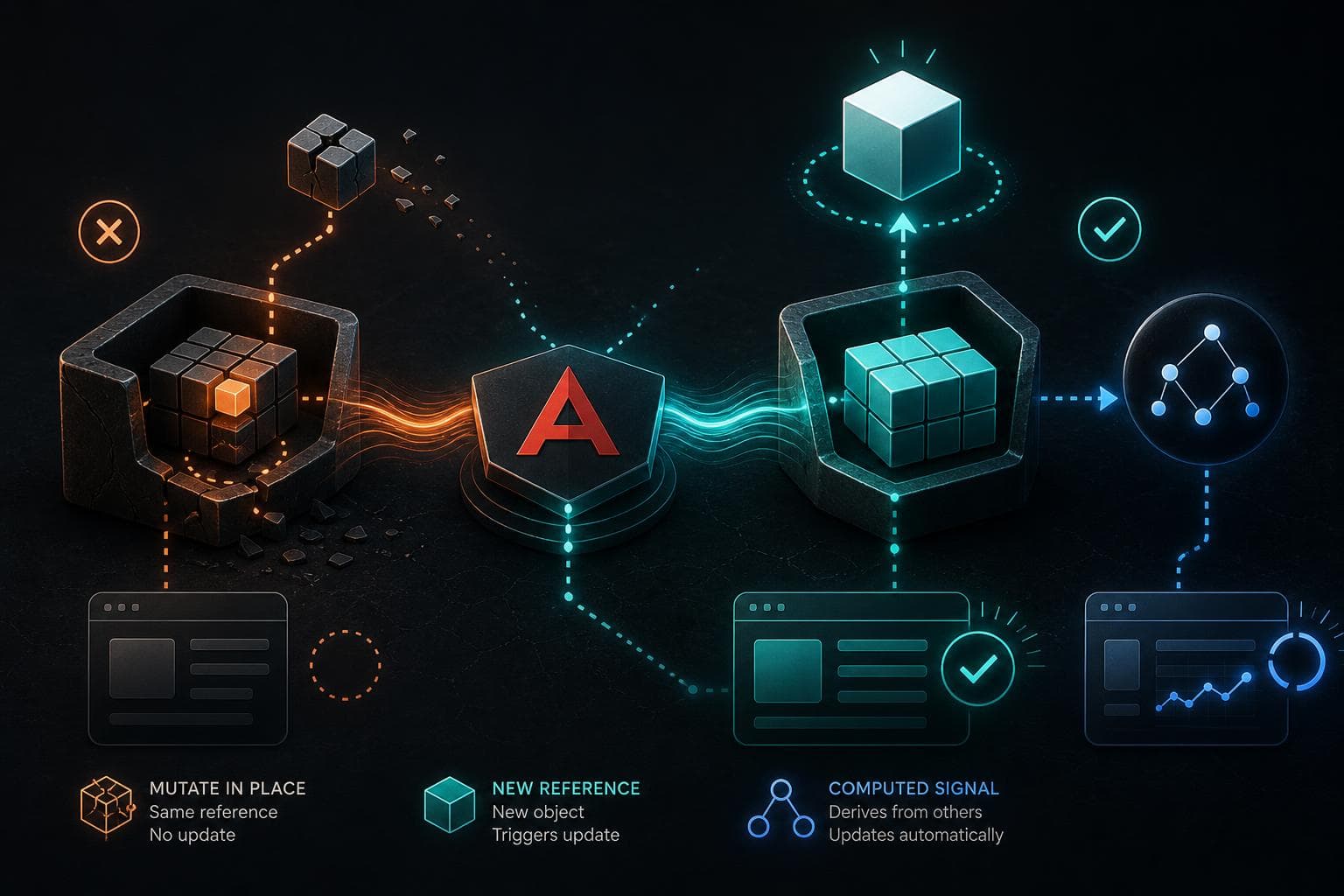
You’ve been there: your Angular component’s UI stubbornly refuses to update even though you’re sure you changed the signal’s value. No errors, no crashes, just silence.
I had this happen recently while refactoring a component’s state to use Angular Signals. I was updating a signal that held an object, but the UI didn’t react. After some head-scratching, I realized the problem wasn’t Angular’s reactivity itself but the form of the signal, how the signal stored and exposed its value.
Signals Aren’t Just Boxes: They Have Forms
At first glance, a signal is just a container for a value you can get or set. But under the hood, Angular Signals can hold primitives, objects, arrays, or even computed values. How this data is shaped and updated determines if Angular’s change detection triggers.
To put it simply, the form of a signal is about what kind of value it emits and how you update it.
- A primitive signal holds a string, number, boolean, etc.
- An object signal holds a reference to an object.
- A computed signal derives its value from other signals.
Why Signal Form Tripped Me Up: The Object Reference Gotcha
Here’s a minimal reproduction of what I ran into:
const user = signal({ name: 'Alice', age: 30 });

// Later...
user().age = 31; // Mutating the nested property
// user.set(user()); // Not called
I changed user().age, expecting Angular to detect that the user signal changed and update the UI. But it didn’t. Why?
Angular’s Signals track changes using reference equality. When you mutate a nested property inside the object but don’t assign a new object to the signal, Angular has no way to know anything changed.
So just mutating the object’s property is invisible to Angular's tracking.
How to Fix This: Always Update the Signal with a New Reference
To trigger updates, you have to replace the signal’s value with a new object:
user.set({ ...user(), age: 31 });
This creates a new object, and Angular sees the reference changed, so it triggers updates.
What About Computed Signals?
Computed signals derive their value from other signals and update automatically when dependencies change.
Example:
const count = signal(0);
const double = computed(() => count() * 2);
Here, double recomputes whenever count changes. But if count holds an object and you mutate it without changing the reference, double won’t update either.
So the same reference rule applies.
Signal Forms in Templates: Why Reading Matters
Another subtlety: how you read a signal impacts dependency tracking.
In your template, you typically call the signal as a function: {{ user().name }}. This registers a dependency on user. But if you read nested properties outside Angular’s reactive context or in plain functions, the dependency won’t be tracked.
For example, if you extract const name = user().name in a non-reactive function, Angular won’t know to update when user changes.
So always read signals inside reactive contexts (templates, computed signals, effect functions).
Practical Tips to Avoid Signal Form Bugs
- Treat signals holding objects as immutable. Always replace the whole object rather than mutating it in place.
- Use computed signals to derive values instead of manually reading and mutating nested properties.
- Avoid side effects or mutations inside signals’ values. If you need to update deeply nested state, consider immutable updates or helper libraries.
- Read signals only inside reactive contexts. Don’t cache nested properties in non-reactive code.
When to Use Different Signal Forms
- Use primitive signals for simple values like counters, booleans, strings.
- Use object signals for state objects but update immutably.
- Use computed signals to derive data you don’t want to manage manually.
For example, managing a form input state:
const formState = signal({ firstName: '', lastName: '' });

function updateFirstName(value: string) {
  formState.set({ ...formState(), firstName: value });
}
What Happens if You Don’t Follow Signal Forms?
You’ll face frustrating UI bugs where the view never updates or updates inconsistently. Debugging these can be tricky because Angular won’t warn you about mutations inside signal values.
Sometimes you might see stale data in your components or computed signals not re-evaluating.
Wrapping Up
Angular Signals are powerful, but their reactivity depends heavily on how you shape and update their values. Treat signals as immutable containers and update them by replacing values, not mutating them. Keep your reads inside reactive contexts.
Once you get this, your Angular apps will feel more predictable, and those silent update bugs will become a thing of the past.
If you’ve struggled with signals not updating, check the form of your signal values first. The fix might be simpler than you think.