What will-change Actually Does to Your GPU Memory
Browser Edition
July 8, 2026
At some point you hit a janky animation, Googled the fix, and found a Stack Overflow answer that said add will-change: transform to the element. You added it. The animation got smoother. You moved on.
Most developers stop there. But what actually happened? Why did one CSS property fix a performance problem? And why do performance audits sometimes flag will-change as the problem rather than the solution?
The answer lives in how browsers move content from your CPU to your GPU, and what it costs when they do it wrong.
How the browser paints things normally
Without any hints from you, the browser figures out on its own how to paint the page. Most elements are painted together onto a single layer, like a flat canvas. When something changes, the browser repaints the affected region and sends the updated pixels to the screen.
This works fine for static content. It starts breaking down for things that move, fade, or transform frequently. Every time an animated element changes, the browser has to repaint it, recalculate surrounding layout if necessary, and push new pixels. All of this happens on the CPU, on the main thread, competing with your JavaScript.
The GPU is much better at moving, scaling, and compositing things that are already drawn. The problem is getting content onto the GPU in the first place.
What a compositing layer is
The browser can promote certain elements to their own compositing layer. Think of it as taking that element off the shared canvas and giving it its own separate sheet of paper. That sheet gets uploaded to the GPU as a texture.
Once it is on the GPU, transforming it (moving it, scaling it, changing its opacity) is essentially free from the CPU’s perspective. The GPU handles it entirely. No repaint. No layout recalculation. Just the GPU compositing layers together at render time.
This is why transform and opacity are the two CSS properties you should always use for animation. They are the only properties that can be animated entirely on the GPU without triggering repaint or layout on the CPU.
/* This animates on the GPU. Smooth. */\n.element {\n transition: transform 0.3s ease, opacity 0.3s ease;\n}\n\n/* This triggers repaint on every frame. Expensive. */\n.element {\n transition: left 0.3s ease, background-color 0.3s ease;\n}
What will-change actually does
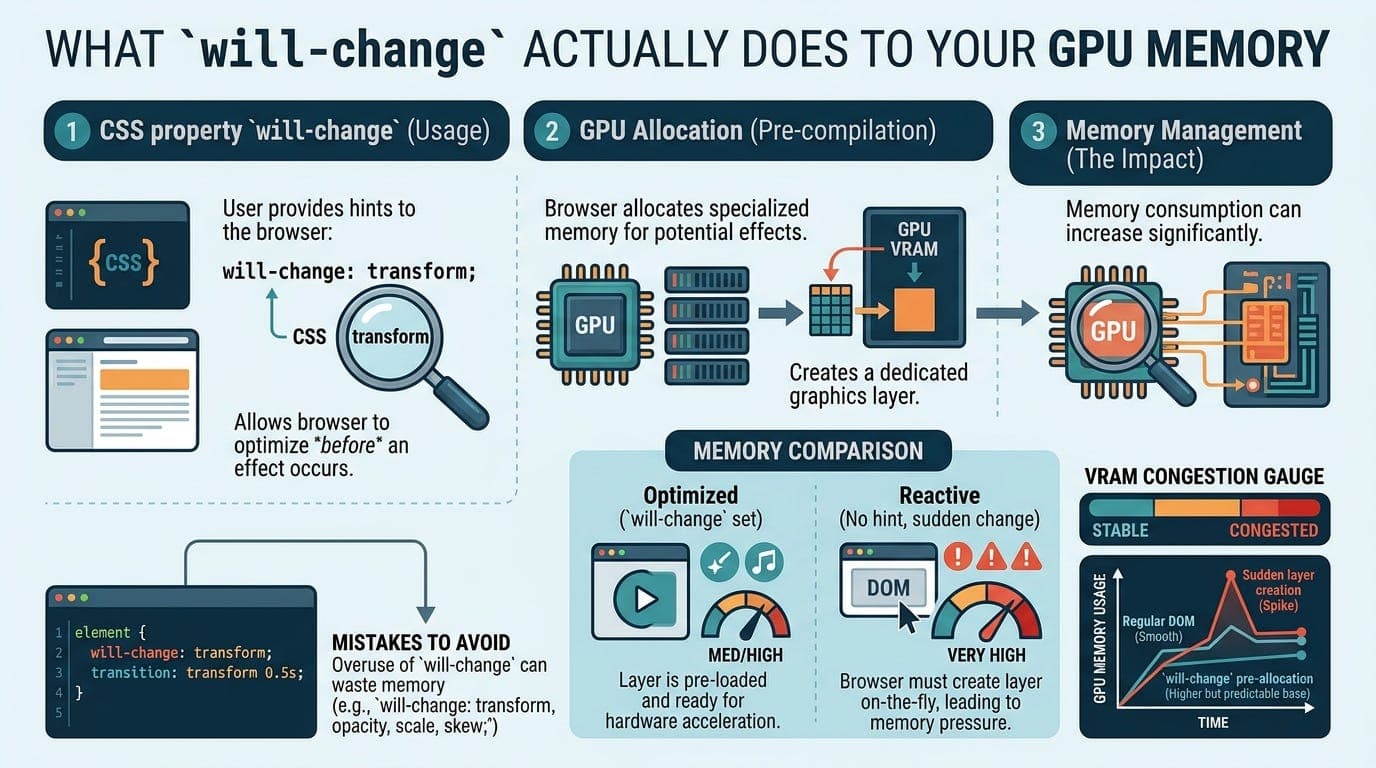
will-change is a hint you give the browser before an animation starts. It tells the browser that this element is about to change in a specific way, so the browser can promote it to a compositing layer in advance.
.card {\n will-change: transform;\n}
Without this, the browser promotes the element to its own layer at the moment the animation starts. That promotion takes time. You sometimes see a flash or a stutter on the first frame of an animation because the browser is scrambling to create the layer right when it needs it.
With will-change: transform, the browser promotes the element ahead of time. When the animation starts, the layer is already there. The first frame is as smooth as every other frame.
That is the entire mechanism. It is not magic. It is just early layer promotion.
The GPU memory cost
Here is where most explanations stop, and where the real cost lives.
Every compositing layer is a texture that lives in GPU memory. GPU memory is fast but limited, especially on mobile devices. When you promote an element to its own layer, you are allocating GPU memory for that element’s pixels at their full resolution.
A 400x300 element at 2x device pixel ratio is actually 800x600 pixels in memory. That is 1.92 megabytes per layer just for that one element, at 4 bytes per pixel.
This sounds small until you realise what happens when developers discover will-change and apply it liberally:
/* Please do not do this */\n* {\n will-change: transform;\n}
Every element on the page gets its own GPU texture. GPU memory fills up. On high-end desktops this causes slowdowns. On mobile devices it causes the browser to start evicting layers, which creates exactly the kind of jank you were trying to prevent. Some browsers will crash the tab entirely if GPU memory pressure gets high enough.
The browsers do try to ignore will-change hints they cannot honour, but you are still creating work for the browser by forcing it to evaluate and discard those hints constantly.
The right way to use it
will-change should be applied just before an animation is needed and removed after it finishes. Not permanently. Not globally. Surgically.
element.addEventListener('mouseenter', () => {\n element.style.willChange = 'transform';\n});\n\nelement.addEventListener('animationend', () => {\n element.style.willChange = 'auto';\n});
This pattern promotes the layer when the user is about to interact with something, then releases the GPU memory when the animation is done. The browser gets the early-promotion benefit without holding onto the texture indefinitely.
For elements that animate constantly, like a persistent loading spinner or a looping background animation, keeping will-change in CSS is fine. The layer needs to exist permanently anyway. But for elements that only animate on interaction, the JavaScript approach is better.
When you do not need it at all
If you are already animating transform or opacity, modern browsers are pretty good at promoting layers automatically, especially Chrome and Firefox. The heuristics have improved significantly in the last few years.
will-change matters most for complex elements where the browser might not promote the layer early enough on its own, or for animations that have a noticeable first-frame stutter without it. If your animation already looks smooth, adding will-change gives you no additional benefit and costs GPU memory for nothing.
Run your animation without it first. Check Chrome DevTools Layers panel to see what the browser is already promoting. Add will-change only if you see a specific problem it would fix.
The transform hack from five years ago
Before will-change was widely supported, developers used this trick:
.element {\n transform: translateZ(0);\n}
Or sometimes translate3d(0, 0, 0). Both force the browser to create a compositing layer by applying a 3D transform, even though the element is not actually moving in 3D space. It was a hack that exploited the browser’s layer promotion rules.
It worked. It also had the same GPU memory cost as will-change, with none of the explicitness. A lot of codebases still have this in their CSS for historical reasons. If you see it, it is almost certainly doing the same job will-change: transform does today, just less readably.
The short version
will-change promotes an element to its own GPU compositing layer ahead of time so animations start smoothly. The cost is GPU memory, one texture per promoted layer. Use it on elements that are about to animate, remove it when they are done, and do not apply it broadly. Check what the browser is already doing before assuming you need it at all.
The GPU is fast. GPU memory is not unlimited. will-change is the dial that controls the trade-off between the two.
Thanks for reading Under The Hood! Subscribe for free to receive new posts and support my work.