The Browser’s Role in Managing Keyboard Focus Order and Tabindex with Shadow DOM
Why Your Tab Navigation Breaks in Shadow DOM and How Browsers Actually Compute Focus Order
November 17, 2026
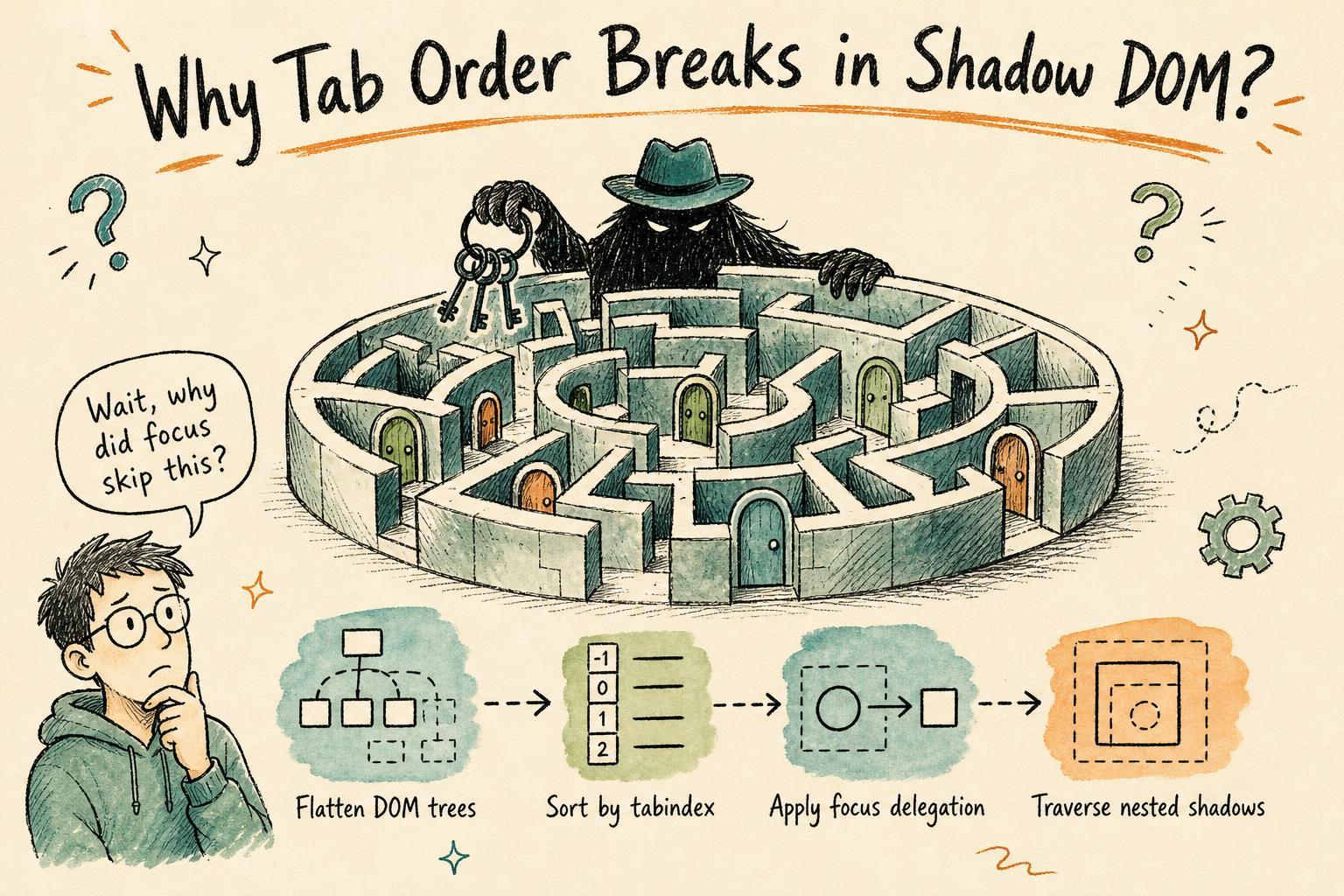
You’ve built a nice web component with Shadow DOM, wired up some tabindex attributes, and expected keyboard users to tab smoothly through your controls. But then you notice the focus order is weird , tab jumps unexpectedly inside your shadow root or skips an element altogether.
I ran into this exact puzzle recently and had to dig deep into how browsers manage keyboard focus when Shadow DOM is involved. It’s more subtle than you think.
The Usual Suspect: tabindex and Focus Order
We all know tabindex controls whether an element can receive keyboard focus and its order in the tab sequence:
tabindex="0"means the element is focusable in natural document order- Positive tabindex values (e.g.
tabindex="2") reorder focus explicitly tabindex="-1"makes the element programmatically focusable but skips it in tab order
In a simple page, this mostly works as expected. Tab moves through focusable elements in increasing tabindex order, then through elements with tabindex=0 in document order.
But what happens when Shadow DOM enters the picture?
Shadow DOM and Focus: The Hidden Boundary
Shadow DOM encapsulates markup so your component’s internals don’t leak out and accidentally clash with the page’s global styles or scripts. But keyboard focus needs to cross this boundary smoothly.
Browsers handle this with the concept of focus delegation. When you tab into a shadow host, the browser decides which element inside the shadow tree should receive focus first.
Here’s the catch: this delegation depends on the shadow root’s delegatesFocus flag (set when you create the shadow root) and the tabindex attributes inside.
If the shadow root delegates focus, tabbing into the host moves the focus inside to the first focusable element (usually the first tabindex=0 element). If not, focus stays on the host element.
How Browsers Compute Focus Order Across Light and Shadow DOM
When you press Tab, the browser builds a list of all focusable elements to determine where to move next. But this list isn’t flat or simple when Shadow DOM is involved.
Here’s roughly what happens under the hood:
-
Flattened DOM Traversal: The browser walks through the light DOM and includes shadow trees by "flattening" them , as if the shadow tree’s nodes appear inline inside the host.
-
Tabindex Sorting: All focusable elements with positive tabindex values are sorted in ascending order first.
-
Document Order: Then elements with tabindex=0 are visited in document order.
-
Focus Delegation: For shadow hosts with delegated focus, the browser replaces the host element in the tab sequence with the first focusable element inside its shadow tree.
This sounds straightforward but subtle bugs creep in when tabindex values are mixed between light and shadow DOM, or when the shadow root doesn’t delegate focus.
Real-World Quirks and Gotchas
1. Positive Tabindex in Shadow Tree vs Light DOM
If you set tabindex="1" inside a shadow tree and have tabindex="2" on a light DOM element, the shadow tree element gets focused first , even if it’s visually after the light DOM element.
This can confuse users if the visual order and focus order don’t match.
2. Shadow Root Without delegatesFocus
By default, most shadow roots don’t delegate focus. So when you tab onto a shadow host, the focus lands on the host element, not inside.
If your host isn’t focusable (no tabindex or programmatic focus), it might get skipped entirely, making inner shadow elements unreachable by keyboard.
3. Dynamic tabindex Changes
Changing tabindex values dynamically inside shadow trees can confuse the browser’s focus traversal cache, causing unexpected tab stops or skipped elements until a page reload.
4. Nested Shadow DOM
When shadow roots are nested, focus delegation chains. The browser must find the first focusable element in the deepest shadow tree. If any shadow root in the chain doesn’t delegate focus, that subtree is skipped.
This is why sometimes keyboard navigation feels broken in complex component hierarchies.
Debugging Keyboard Focus Order with DevTools
Here’s a practical way to untangle mysterious focus order issues:
-
Use the Elements panel to inspect tabindex attributes on both light and shadow DOM nodes.
-
Toggle the
delegatesFocusflag by recreating the shadow root in the console (if you control the component). Example:const host = document.querySelector('my-component'); const oldShadow = host.shadowRoot; const newShadow = host.attachShadow({ mode: 'open', delegatesFocus: true }); newShadow.append(...oldShadow.childNodes); -
Use the Accessibility pane in DevTools to view the tab order and keyboard focusable elements.
-
Manually tab through the page and watch the focused element in DevTools to see where focus lands.
-
Experiment by adding or removing tabindex attributes and observe how the focus order changes.
Tips for Reliable Focus Management in Shadow DOM
-
Prefer delegatesFocus: true on your shadow roots if your component contains interactive elements users must tab into.
-
Keep tabindex values consistent and avoid mixing positive tabindex values between light and shadow DOM to prevent confusing focus sequences.
-
Use tabindex="0" for natural tab order and tabindex="-1" for elements to be focused programmatically only.
-
When building composite components, consider implementing explicit focus management in JavaScript, e.g., handling
focusandkeydownevents to move focus manually. -
Test keyboard navigation with screen readers and accessibility tools to catch surprises early.
Wrapping Up
Keyboard focus in the presence of Shadow DOM isn’t magic , it’s a carefully orchestrated interplay between the browser’s flattened DOM traversal, tabindex sorting, and focus delegation rules.
Understanding these mechanisms helps you spot why tabbing might behave unexpectedly and empowers you to build accessible, keyboard-friendly web components.
Next time your tab order breaks in a shadow-rooted component, remember: check the tabindex values inside and outside the shadow tree, confirm if delegatesFocus is enabled, and walk through the flattened DOM order. It’s usually a subtle mismatch or a missing flag that’s throwing the browser off.
Getting this right means your components play nice with keyboard users and assistive technologies , a win for everyone.