Mechanics Behind Interactive AI Chat Interfaces: Managing Prompt History and UI Responsiveness
How Chat-based AI Frontends Keep Your Conversations Smooth and Snappy Despite Heavy Async Work
November 9, 2026
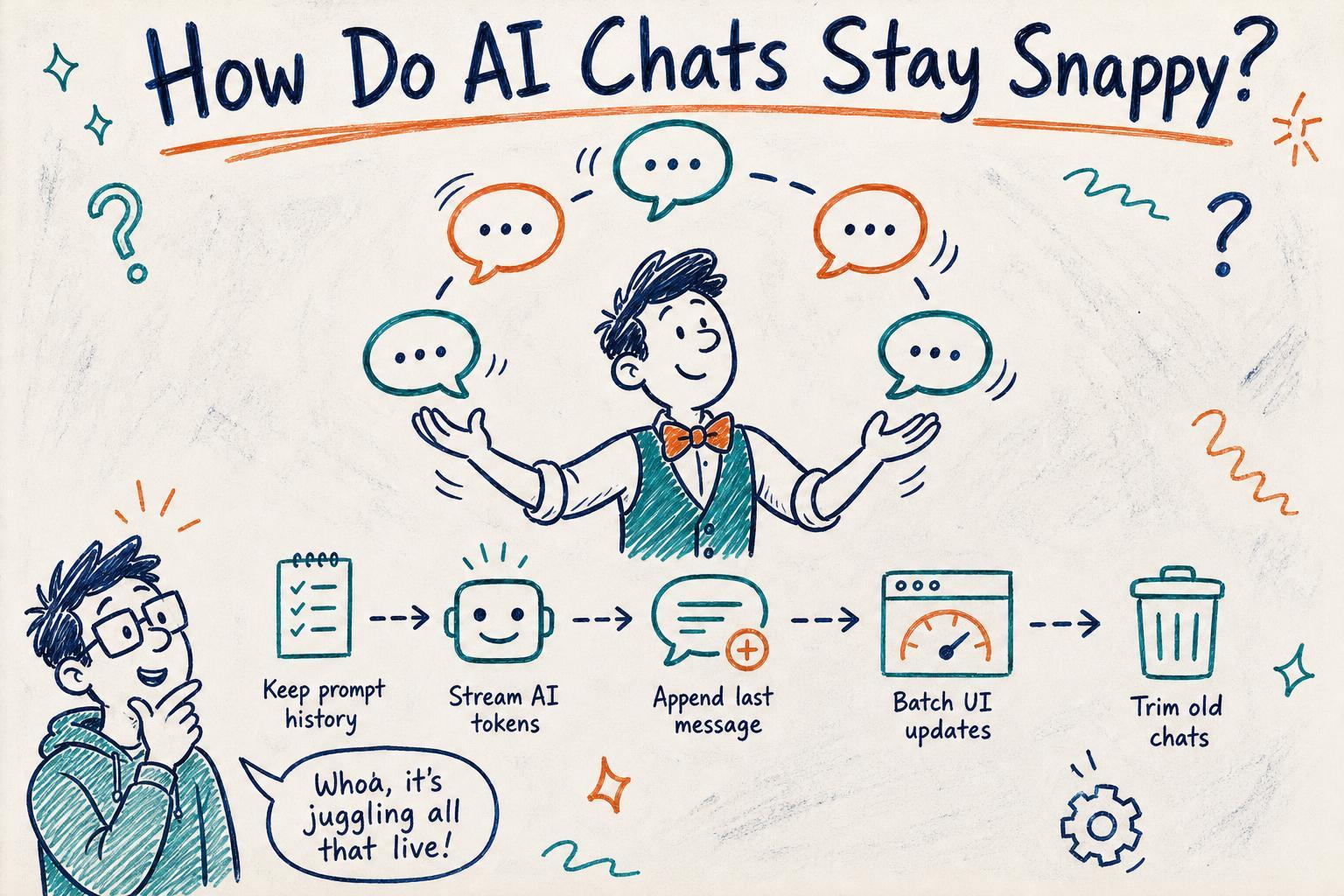
You’ve just typed a new message in your favorite AI chat app and hit enter. Within seconds, the AI starts streaming its reply , word by word, sometimes sentence by sentence , while you’re already typing your next question. It feels smooth, responsive, and natural.
But have you ever wondered what’s really going on under the hood to make that happen? Managing an ever-growing prompt history, updating the UI incrementally as the AI streams responses, and keeping your input box alive and snappy during heavy async chatter is no small feat.
I recently dug into a few popular open-source AI chat frontends and built some prototypes myself. Let me walk you through the key mechanisms that make these interactive AI chat interfaces work so well, especially when juggling prompt history and streaming responses without freezing the UI.
The Familiar Developer Headache: UI Freezes and Input Lags During Streaming
Imagine this: you hit send and the AI starts streaming a long reply. But your input box feels sluggish, keystrokes lag, or the whole page briefly freezes whenever a chunk of new tokens arrives. You might think this is just network latency or your machine being slow.
But the real culprit often lies in how the app manages prompt history, processes incoming tokens, and updates the UI.
Many naive implementations update the entire chat transcript state on each token or batch of tokens received. If the prompt history is large, this means copying or re-rendering a huge amount of data very frequently , and that blocks the main thread.
The UI stalls, typing feels delayed, and the smooth chat experience breaks down.
How Prompt History Management Affects Responsiveness
Every message you send and receive typically gets stored in a prompt history array or similar structure. This history is sent along with each new user message to provide context to the AI.
const promptHistory = [
  { role: 'user', content: 'Hello' },
  { role: 'assistant', content: 'Hi! How can I help?' },
  // potentially dozens or hundreds more
];
When a new message arrives from the AI streaming endpoint, a common approach is to append the incoming partial content to the last assistant message in the history, then update the app's state.
But if you naively replace the entire promptHistory array or deeply clone it on every token, you pay a high performance cost. The UI framework tries to re-render large lists, diff long arrays, or reconcile many components repeatedly.
This is especially painful in frameworks like React where each state update triggers a render pass.
Incremental UI Updates: Appending Tokens Without Rebuilding Everything
A better approach is to treat the last assistant message’s content as mutable during streaming. Instead of replacing the entire prompt history, you update only the last item’s content incrementally.
// Pseudo code
function onNewToken(token) {
  // Append token to last assistant message content
  promptHistory[promptHistory.length - 1].content += token;

  // Trigger narrow UI update
  updateAssistantMessageUI(promptHistory.length - 1);
}
This way, you avoid cloning or replacing the entire array on every token. The UI update targets just the message component rendering the assistant’s response. Frameworks with fine-grained reactivity or virtualized lists benefit immensely.
Streaming Response Handling: Using Async Iterators and Partial Renders
Most AI chat APIs send responses as streamed chunks. The frontend consumes these using async iterators or event streams.
const responseStream = await fetchAIStream(promptHistory);
for await (const chunk of responseStream) {
  onNewToken(chunk.text);
}
Under the hood, the UI updates as tokens arrive, maintaining a fluid typing effect.
Some apps batch tokens for every 20-50 characters to reduce update frequency, striking a balance between responsiveness and rendering cost.
Keeping Input Responsive: Avoiding Main Thread Blocking
Besides prompt history and UI updates, the input box responsiveness is a big challenge.
Heavy state updates or layout recalculations triggered by frequent streaming UI changes can block input event handling.
Here are a few practical tricks to keep your input responsive:
- Use requestAnimationFrame or idle callbacks: Schedule UI updates during browser idle time to avoid jank.
- Debounce or throttle rendering: Don’t update on every token; batch updates.
- Use Web Workers or off-main-thread processing: Parse and process streaming data off the main thread if possible.
- Virtualize long chat histories: Don’t render all past messages at once.
Example: Incremental Rendering in React
In React, you might use a state hook for prompt history. But updating the entire history on every token is costly.
Instead, keep the last assistant message content in a separate state:
const [messages, setMessages] = useState(initialMessages); // prompt history
const [currentResponse, setCurrentResponse] = useState('');

async function handleStream() {
  const stream = await fetchAIStream(messages);
  let partial = '';

  for await (const chunk of stream) {
    partial += chunk.text;
    setCurrentResponse(partial);
  }

  // When done, append the final response to messages
  setMessages(prev => [...prev, { role: 'assistant', content: partial }]);
  setCurrentResponse('');
}

return (
  <>
    {messages.map(m => <Message key={m.id} content={m.content} />)}
    {currentResponse && <Message content={currentResponse} isStreaming />}
    <InputBox disabled={isStreaming} />
  </>
);
This way, the UI updates only the streaming message separately, avoiding large re-renders.
Beware of Memory and State Bloat
As your conversation grows, so does prompt history size. Sending hundreds of messages each time to the AI can bloat payloads and slow down everything.
Common strategies include:
- Trimming history: Keep only recent or relevant messages.
- Summarization: Replace older messages with summarized content.
- Indexed references: Store some context on the server side to avoid resending everything.
Managing prompt history efficiently is crucial to keep UI updates fast and smooth.
Final Thoughts
Creating a smooth, responsive AI chat interface isn’t just about calling an API and rendering text. It’s about carefully managing prompt history data structures, incremental UI updates during streaming, and keeping input responsiveness despite heavy async activity.
If you’ve ever debugged a sluggish AI chat frontend, you know the pain of UI freezes and laggy typing. Now you have a better sense of the practical mechanisms under the hood.
Next time you build or debug such an interface, watch out for unnecessary array cloning, excessive renders, and blocking state updates. Incremental content updates, careful state partitioning, and batching can make all the difference.
Happy coding your next smooth AI chat experience!