Inside Angular’s Change Detection Zones: How UI Updates Are Scheduled and Batched
Why your Angular app sometimes updates the UI later than you expect—and how NgZone orchestrates it all
November 3, 2026
You’ve just fixed a bug where your Angular component’s UI didn’t update right after an HTTP request. You refresh, hoping the input reflects the latest data immediately. But nope, the UI lags, or requires a second click, or only updates after you interact again. What gives?
I’ve been there. It feels like Angular’s change detection is on its own schedule, ignoring your updates. Tracking down the root cause led me straight into Angular’s NgZone and how it intercepts asynchronous operations to schedule UI updates.
The Familiar Developer Frustration: UI Doesn’t Update When You Think It Should
Imagine this: you call a service that fetches data with HttpClient. You subscribe, set a component property in the callback, and expect Angular to refresh the template.
this.http.get('/api/data').subscribe(data => {
  this.user = data;
  // Expect UI to update immediately
});
But sometimes the UI stays stale. Or, if you’re using third-party libraries or custom async code, change detection doesn’t run automatically. You might resort to triggering it manually with ChangeDetectorRef.detectChanges() or NgZone.run(). That’s a red flag something subtle is happening under the hood.
What Is NgZone and Why Does Angular Use It?
Angular wraps your app’s execution inside an NgZone, an Angular-specific zone based on the zone.js library. Zones monkey-patch async browser APIs like setTimeout, promises, events, and XHR. This lets Angular know when async work starts and finishes.
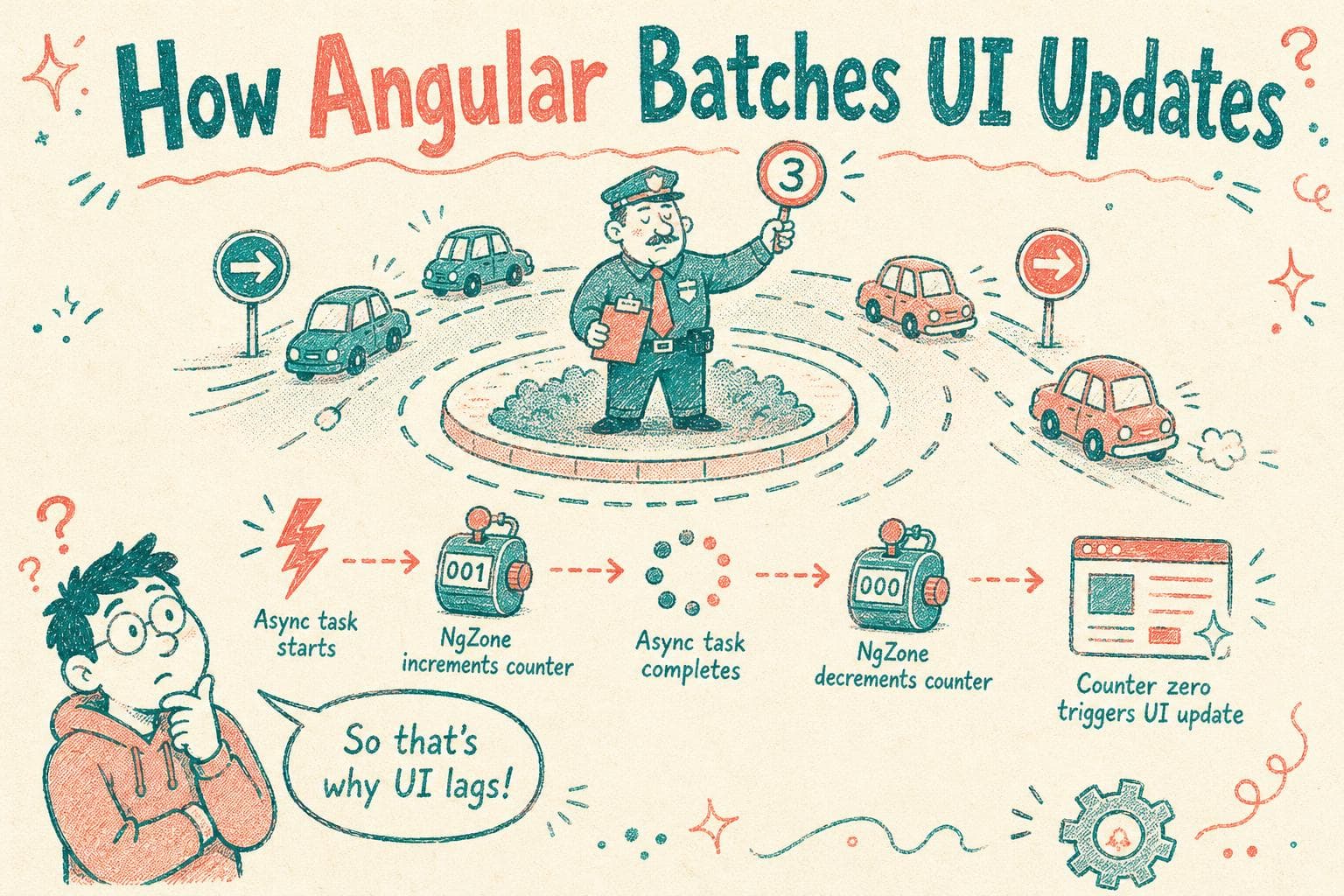
Why does it matter? Because Angular’s change detection is not running constantly or on every microtask. Instead, Angular waits for these async activities to complete and then triggers change detection once per turn of the event loop. This batching avoids excessive UI work.
In short, NgZone is Angular’s way to track async boundaries and schedule UI updates efficiently.
How NgZone Intercepts Asynchronous Operations
Behind the scenes, zone.js patches these APIs:
- Timers:
setTimeout,setInterval - Promises:
.then()callbacks - DOM events:
addEventListener - XHR and fetch
Each async callback runs inside the NgZone. When an async task starts, NgZone increments an internal counter. When it completes, it decrements it. When the counter hits zero, NgZone knows the async turn is over and calls Angular’s change detection.
This is why Angular’s change detection doesn’t run immediately at every microtask or callback, but batches updates until the async “turn” is done.
What Happens When You Run Code Outside NgZone?
Sometimes, to optimize performance, you or a library might run code outside Angular’s zone using NgZone.runOutsideAngular(). This means Angular doesn’t intercept those async callbacks.
this.ngZone.runOutsideAngular(() => {
  setTimeout(() => {
    // Angular change detection won't run after this timer
    this.user = newUser;
  }, 1000);
});
If you update component state inside such callbacks without re-entering Angular’s zone, your UI won’t update automatically. That’s a common source of confusion.
The fix: wrap updates inside NgZone.run(), or trigger change detection manually.
The Tradeoff: Performance vs Predictability
NgZone’s interception is powerful but comes at a cost. Monkey-patching async APIs adds overhead, which can affect performance in large apps or complex async flows.
Because Angular batches change detection after all async tasks finish, UI updates might feel delayed if you have chained or long-running async operations.
Some experiments and libraries aim to avoid zones entirely (like Angular Signals or manual change detection strategies) for more control and performance, but zones remain the default for good developer ergonomics.
Examples: When Change Detection Runs
Example 1: Simple Promise
Promise.resolve().then(() => {
  this.count++;
  // Angular will detect changes after this microtask finishes
});
Angular patches promise .then(), so after the microtask queue empties, change detection runs.
Example 2: setTimeout
setTimeout(() => {
  this.count++;
  // Angular detects changes after timer callback
}, 100);
NgZone tracks timers similarly, triggering change detection once the callback completes.
Example 3: Event Listener
document.getElementById('btn').addEventListener('click', () => {
  this.count++;
  // UI updates because event listener runs inside NgZone
});
Events patched by zone.js trigger change detection after handlers.
Example 4: Outside Angular Zone
this.ngZone.runOutsideAngular(() => {
  setTimeout(() => {
    this.count++;
    // UI stays stale because this runs outside Angular zone
  }, 100);
});
No automatic change detection unless you re-enter Angular zone or detect changes manually.
Debugging Unexpected UI Update Timings
If your UI doesn’t update as expected:
- Check whether your async code runs inside NgZone.
- Use
console.log(NgZone.isInAngularZone())inside callbacks to verify. - Try forcing change detection temporarily with
ChangeDetectorRef.detectChanges()to isolate the problem. - Beware of third-party libraries that operate outside Angular zones.
When Change Detection Might Feel Too Aggressive
Because NgZone triggers detection after every async turn, sometimes Angular runs more often than you want, especially with frequent timers or event-heavy components.
You can optimize with:
ChangeDetectionStrategy.OnPushto reduce detection scope- Running complex code outside Angular zones if UI updates aren’t needed every time
- Using signals or other reactive primitives for fine-grained updates
Wrapping Up
NgZone is Angular’s secret sauce for knowing when async work finishes so it can batch and schedule change detection. It patches your async browser APIs, tracks when tasks start and finish, and triggers UI updates accordingly.
This makes Angular apps feel reactive without you having to call detectChanges() everywhere. But it can also surprise you when third-party async code runs outside Angular’s zone, or when UI updates lag behind your expectations.
Understanding NgZone’s role helps you debug those subtle UI update glitches and write more predictable, performant Angular apps.