How Angular Signals Really Work: Behind the Scenes of Reactivity
Understanding Angular's Signals from a Developer's Debugging Experience
October 13, 2026
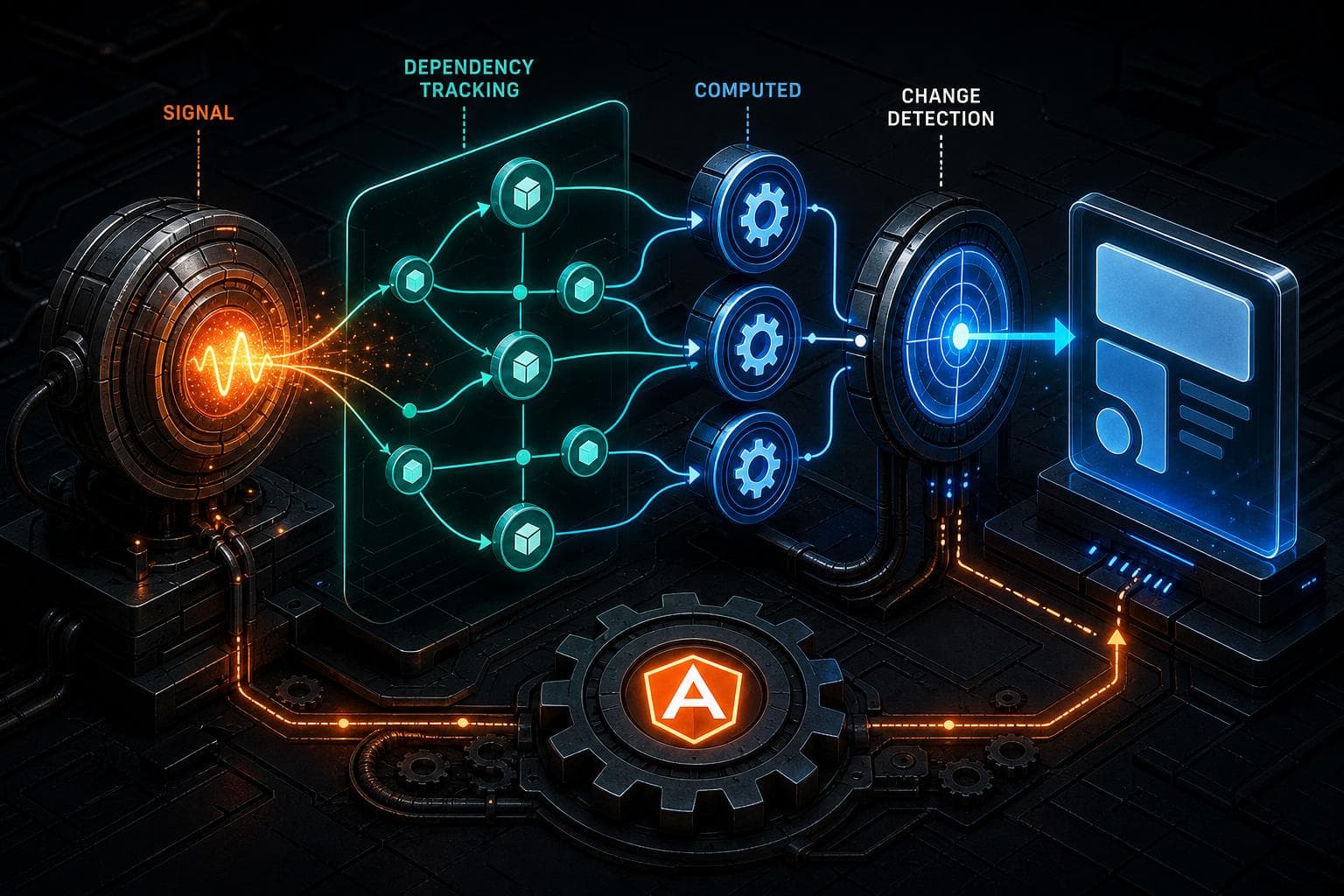
You’ve been there: you update some Angular state, expecting your UI to refresh instantly. But the component stays stubbornly frozen, no errors or warnings , just silence. Maybe you’re using Angular Signals, and they promised to simplify reactivity, but your updates don’t always reflect where you expect.
That exact thing happened to me recently. At first, I thought it was a bug in my code. After some digging, I realized the mystery was how Angular Signals track dependencies and trigger updates behind the scenes. It’s not magic, but it’s subtle.
Let me walk you through what I figured out about Angular Signals , how they manage state reactively, how they track which parts of your app depend on them, and how they kick off Angular’s change detection when needed.
The moment a signal feels like magic , or doesn’t
Signals in Angular look like reactive variables. You declare a signal with signal(initialValue) and read or write its .value. When the value changes, anything depending on it should update.
Sounds simple, right? But here’s the catch: those "anything depending on it" are tracked, not guessed.
Imagine this component snippet:
const count = signal(0);

@Component({ ... })
class CounterComponent {
  count = count;
  double = computed(() => this.count.value * 2);
}
If your template uses {{ double() }}, Angular automatically knows to update when count changes, because double depends on it. But what if you just read count.value directly in some plain function, outside Angular's reactive context? The signal won’t know to notify anyone.
I ran into this when I had a signal update inside an event handler that wasn’t wrapped properly in Angular’s reactive context. No UI update happened , the component didn’t re-render because Angular’s change detection wasn’t triggered.
Signals are reactive primitives with dependency tracking
Under the hood, a signal is not just a value holder. It keeps track of who reads its value during a reactive computation.
Here’s how it works:
- When you call a computed signal or Angular evaluates a component’s template, Angular creates a "tracking context."
- As the computation runs, every signal’s
.valuegetter checks if there’s a current tracking context. - If there is, the signal records that the computation depends on it.
- When the signal’s value changes, it looks up all the computations (or subscribers) that depend on it and notifies them.
This means Angular knows precisely which parts of your UI rely on which signals, so it only updates what actually needs to change.
How Angular signals tie into change detection
Signals themselves don’t update the UI directly. They notify their subscribers, which could be:
- Computed signals that recalculate derived values
- Angular’s change detection mechanism to re-render components
When a signal updates, it queues Angular's change detection for the associated component. This happens asynchronously, usually scheduled via NgZone or microtasks.
That’s why sometimes you see updates batched together , Angular waits for the current synchronous work to finish before running change detection.
If you update a signal outside Angular’s zone, or in some async callback without zone awareness, Angular won’t know to check your component again. That was the root cause of my silent update bug.
Debugging signals: What to look for
Here are some concrete things I learned to check when your Angular Signals don’t seem to update the UI:
-
Are you reading the signal inside a reactive context?
Reading
signal.valuein a plain function without Angular's tracking won’t register a dependency. -
Is the signal update happening inside Angular’s zone?
If you update a signal inside a callback from a non-Angular source (like
setTimeoutor a third-party library), Angular might miss it. UseNgZone.run()orzone.runOutsideAngular()carefully. -
Are you using computed signals correctly?
Computed signals cache their results and only recompute when dependencies change. If your computed signal references something outside signals, it won’t update.
-
Are you mixing signals with other reactive tools?
Angular Signals work best when you stick to their reactive model. Mixing RxJS or other state management patterns requires bridging carefully.
A simple example to illustrate
Here’s a minimal example I played with:
const count = signal(0);
const doubled = computed(() => count.value * 2);

@Component({
  selector: 'my-counter',
  template: `
    <p>Count: {{ count() }}</p>
    <p>Doubled: {{ doubled() }}</p>
    <button (click)="increment()">Increment</button>
  `,
})
export class MyCounter {
  count = count;
  doubled = doubled;

  increment() {
    this.count.set(this.count() + 1);
  }
}
This works perfectly because:
- The template calls
count()anddoubled(), so Angular tracks those dependencies. - Clicking the button calls
increment(), which updates the signal. - The signal change triggers Angular’s change detection to re-render the template.
But if you read count.value outside Angular’s reactive system (say in a console log or a raw callback), Angular won’t know to update anything.
Why this matters for your app
Signals are powerful because they give you fine-grained control over reactivity without heavy machinery. But that power comes with responsibility:
- You must be mindful of where you access signals
- Understand how Angular tracks dependencies
- Ensure updates happen inside Angular’s zone
Once you get it, signals can simplify your state management and reduce unnecessary renders.
But if you treat them like plain variables, you’ll end up chasing bugs where your UI silently refuses to update.
Wrapping up
Angular Signals are more than just reactive variables, they’re reactive primitives with smart dependency tracking and integration with Angular’s change detection. The secret to getting them right? Understanding where and how Angular tracks signal usage and triggers updates.
Next time your UI feels stuck after a signal update, check if you’re in the right reactive context and Angular’s zone. That little insight saved me hours of debugging.
Signals aren’t magic, but once you understand how they work under the hood, you’ll find them a practical and elegant way to manage state in Angular.